
The last two weeks have been one of the most productive stretches in Falcon Builder's history — well over a hundred changes shipped to production. But this update isn't really about the count. It's about a single shift in what Falcon Builder is for.
Until now, you built an agent and ran it — on a schedule, on a webhook, on a trigger. The agent did its work in the background. With this release, you can take that same agent and put it directly in front of the people it serves: as a hosted chat assistant, a hosted form, an embeddable website chatbot, or a conversational WhatsApp and SMS line. Your agents aren't just automations anymore. They're products you can ship.
Here's everything that's new.
Ship your agent as an interface
The headline of this release is a complete end-user interfaces system. Take any agent you've built and turn it into something real people can use — no separate front-end, no glue code.
- Hosted chat assistant — a full conversational interface with streaming responses, chat history across multiple conversations, markdown-rendered answers, source citations, and a feedback control. It runs on the same agent and memory engine you already build with.
- Hosted forms — a clean form renderer that runs your agent on submit. Define the fields, and the submission becomes the agent's input.
- Website chatbot embed — drop your agent onto any website as a chat widget with a single snippet.
Every interface is brand-themeable, and every interface is locked down with real access controls. Make it public, gate it behind a password, restrict it to an email allow-list with one-time passcodes, require workspace login, or wire it to full SSO/OIDC. The same agent, exposed exactly as far as you want it to reach.
You build the agent once. Then you decide who gets to use it and how they reach it — a public chatbot, an internal form behind SSO, or anything in between.
Meet your users on WhatsApp & SMS
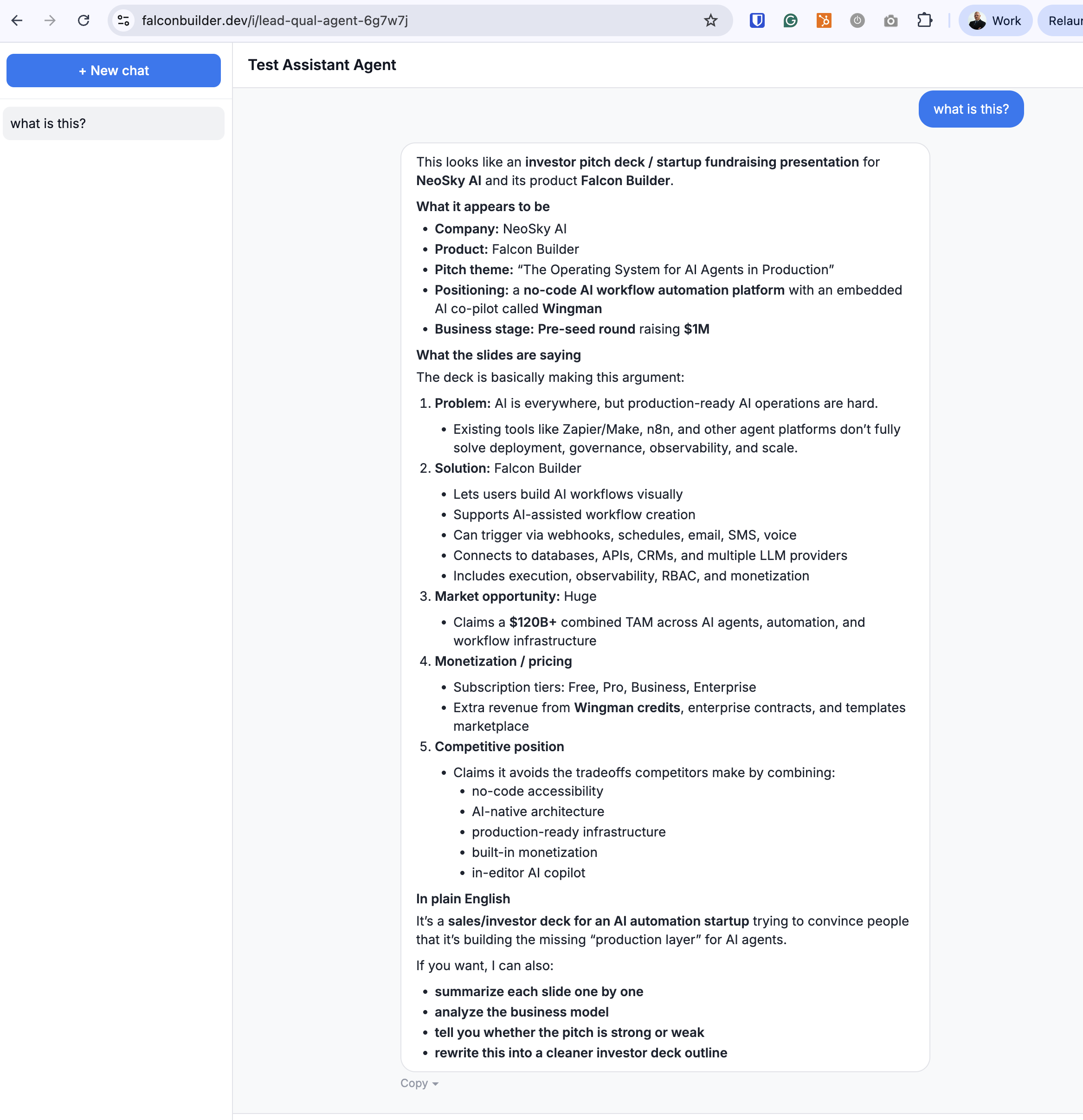
Some conversations don't belong in a browser tab — they belong where people already are. A new two-node WhatsApp and SMS integration over Twilio lets an agent hold a continuous, stateful conversation over messaging, powered by the exact same agent and memory engine behind the hosted chat assistant. It's just a different transport.
Drop in a WhatsApp Trigger and a Send WhatsApp node and you're live. Each contact gets a persistent thread, so the agent remembers the conversation across messages. Inbound photos flow straight into the agent's vision input — it can actually see what someone sends — and even scanned PDFs are rasterized so they work across every model provider. Because the reply is sent asynchronously once the run finishes, the agent can take as long as it needs to think without timing out the conversation.
Files and vision, in chat and forms
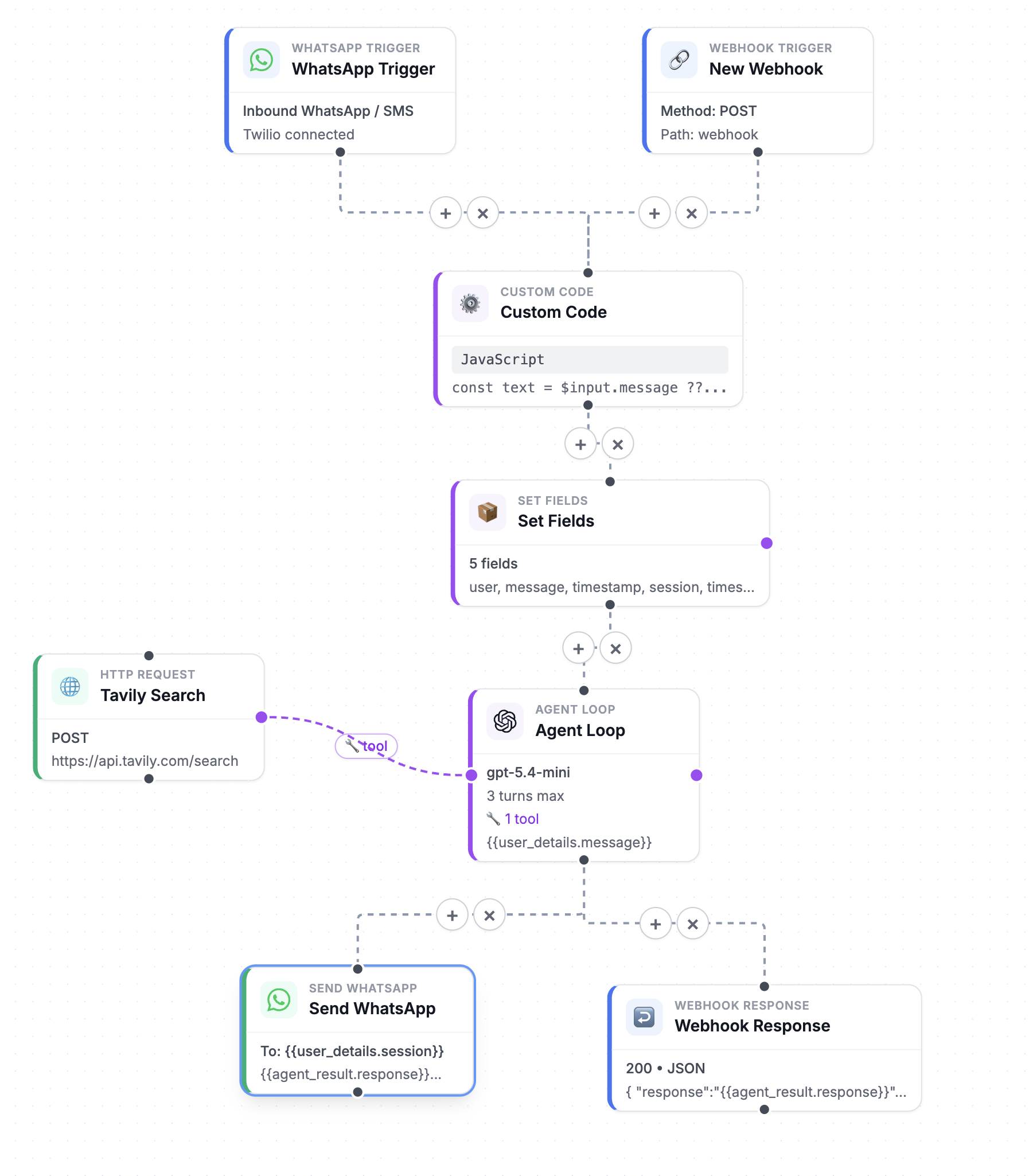
Interfaces aren't limited to text. End users can now attach files — images, PDFs, documents — to a chat or a form, and your agent reads them as one-off context for that interaction. Multimodal vision works across every LLM, with native PDF passthrough, and forms gain dedicated image fields. Ask “what's wrong with this receipt?” with a photo attached, and the agent can answer.

Two new model providers: Mistral & OpenRouter
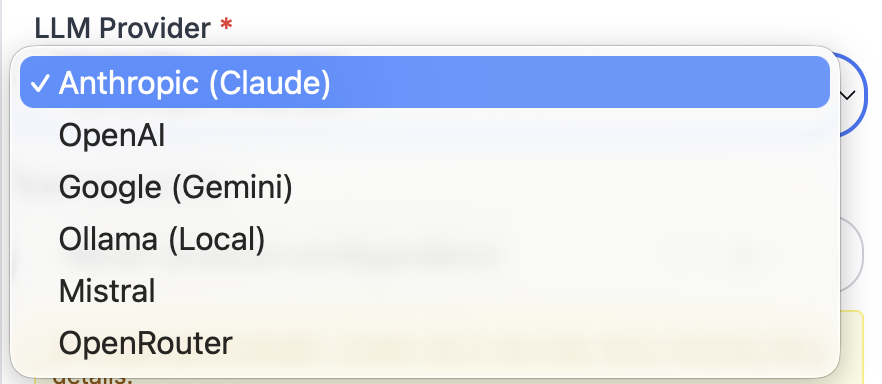
We added Mistral and OpenRouter as first-class LLM providers across the platform — in the AI Prompt node, the Agent Loop, AI Wingman, and the AI Builder. OpenRouter alone unlocks hundreds of models through a single connection, so you can pick exactly the right model for each task without managing a separate integration for each one.
Multi-agent teams
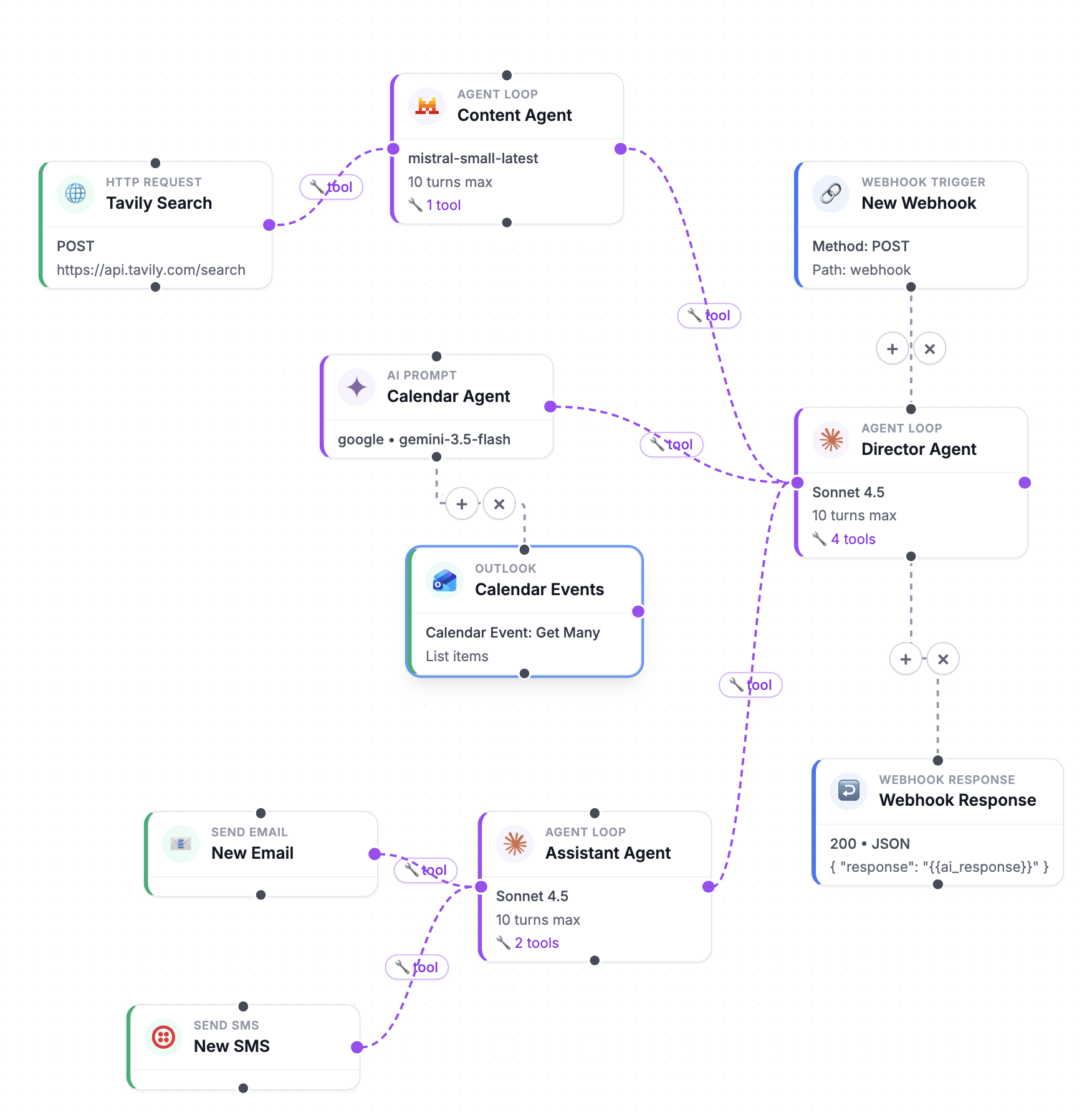
Agents can now delegate to other agents. Wire one agent into another's Tools port and the parent becomes an orchestrator: it hands sub-tasks to specialized sub-agents and combines their results. You can mix models per specialist — a Claude agent for reasoning, a Mistral agent for a narrow task, an OpenAI agent for another — all on one canvas.
Just as important: tool-calling is no longer Anthropic-only. The Agent Loop now does multi-provider tool-calling across Anthropic, OpenAI, Google, Ollama, Mistral, and OpenRouter, so your orchestrators and tool-using agents can run on whichever provider fits.
Humans in the loop, natively
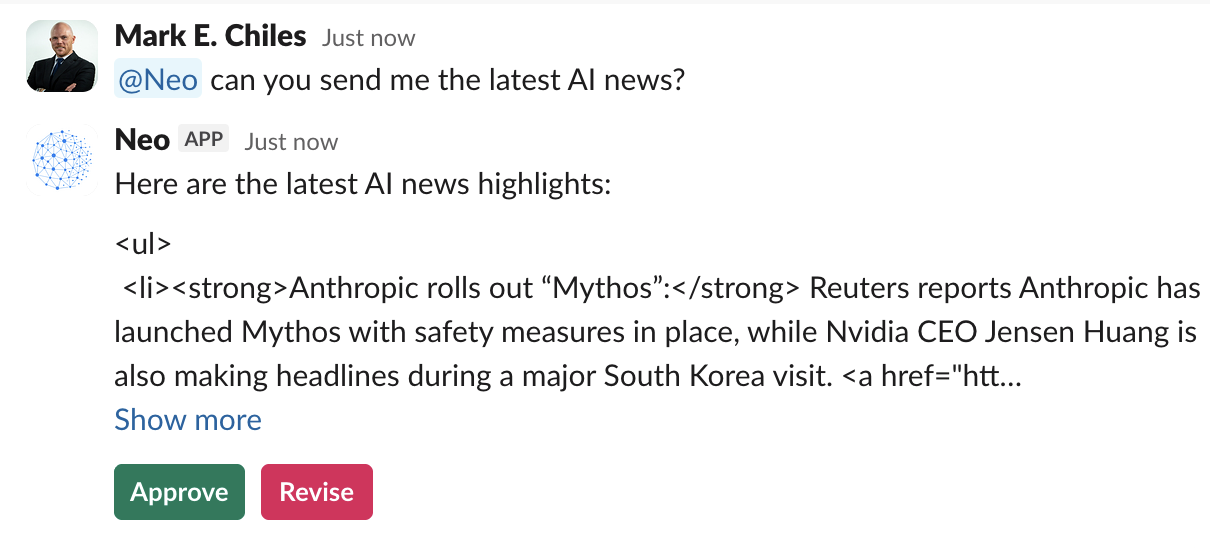
Agents shouldn't act alone on the decisions that matter. A new execution suspend/resume primitive powers Slack “Send and Wait for Response.” An agent can pause mid-run, ask a teammate a question in Slack, and resume exactly where it left off when they reply — with an automatic timeout for the requests that never get answered. It's approval workflows, escalations, and human judgment, built in.
Six new native integrations
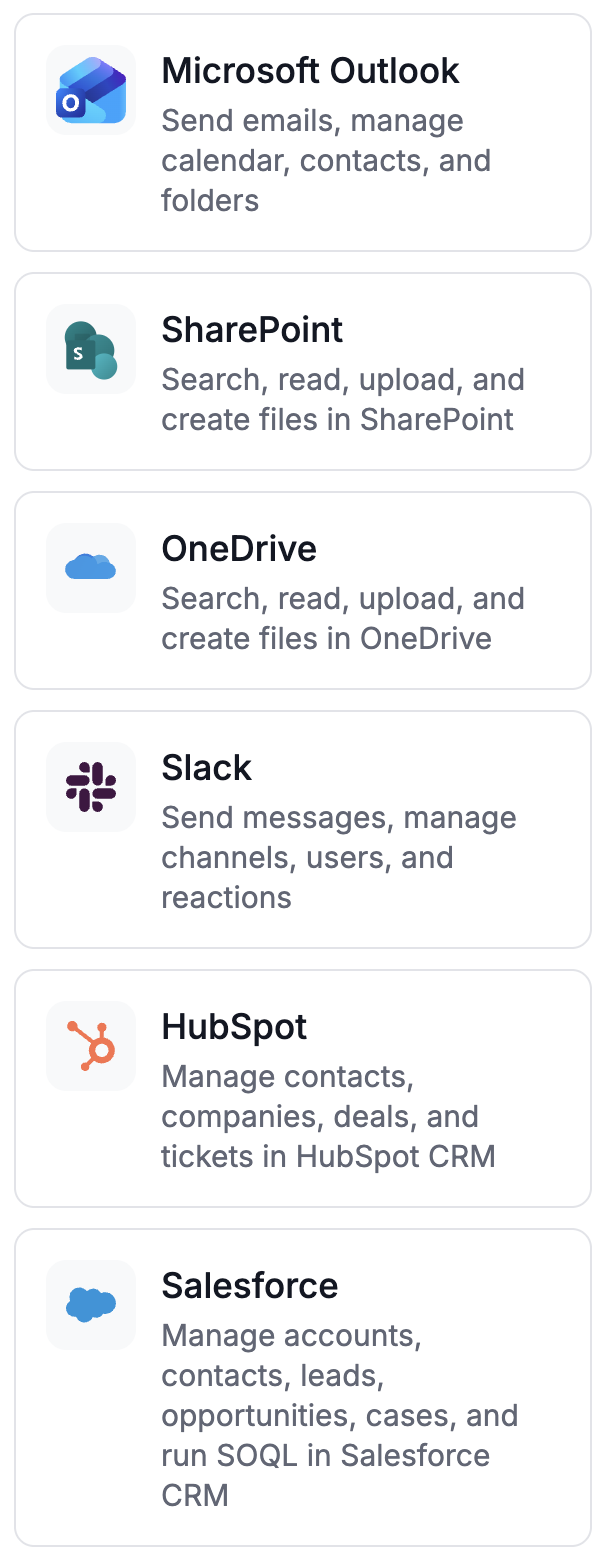
We shipped a wave of native integrations — each with real-time triggers and proper credential management, not just generic HTTP calls:
- Slack — native action and trigger nodes
- HubSpot CRM — real-time webhook trigger and record associations
- Salesforce CRM — node, trigger, and credential (OAuth)
- SharePoint — OAuth, App-Only, and NTLM auth
- OneDrive — its own dedicated node
- Microsoft Outlook — credential and integration
Your agents can now react the moment your CRM, inbox, or document library changes.
Knowledge that stays current
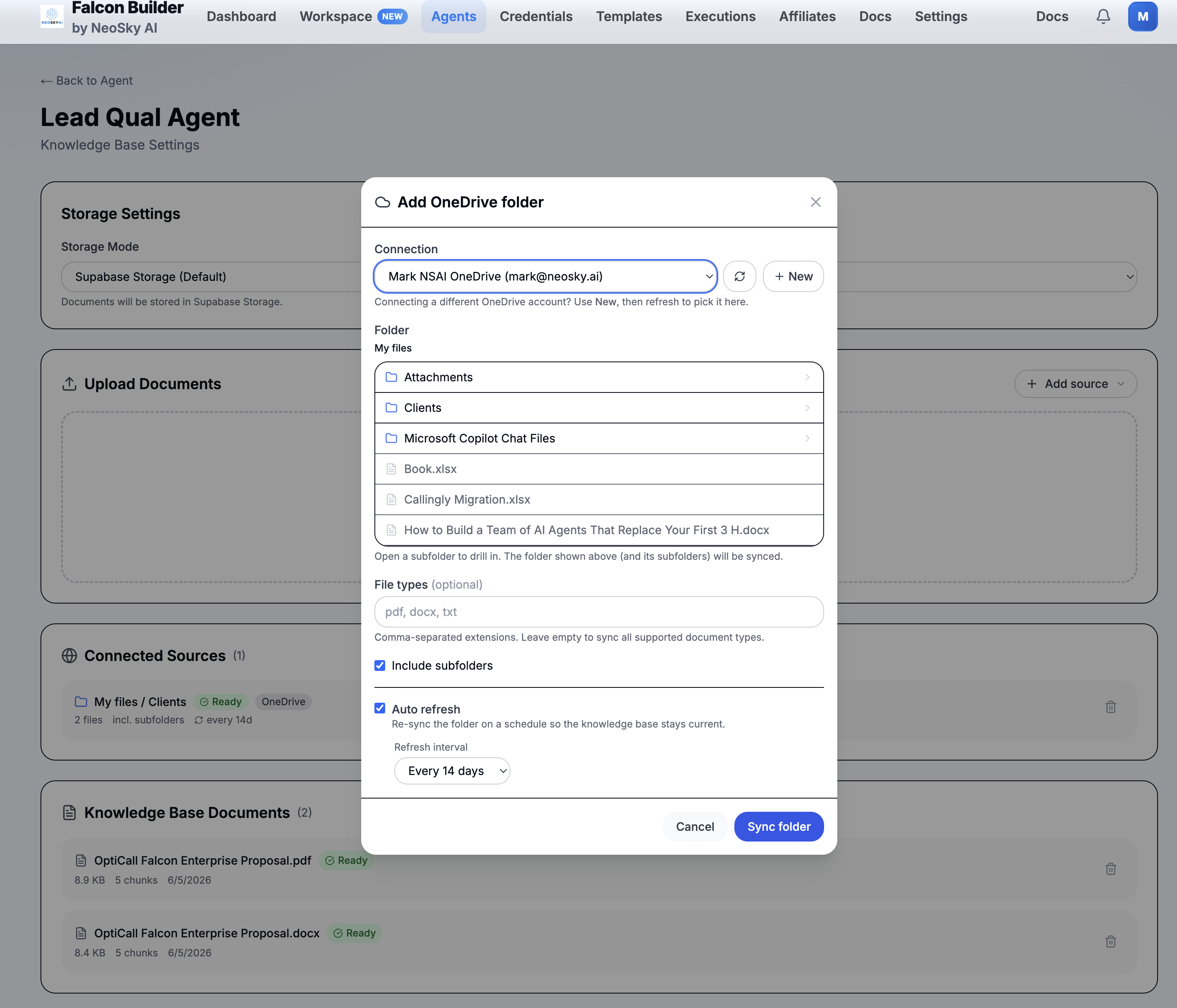
Agent Knowledge can now point directly at your OneDrive and SharePoint folders as first-class knowledge-base sources. One click on “Refresh now” pulls the latest, so your agents always read from the documents your team actually maintains — no manual re-uploading.
Prompt to working agent in seconds
First impressions matter. A new homepage onboarding flow turns a single sentence into a working agent and routes first-run users straight into the AI Agent Generator. Paired with new credential-free starter examples, you can watch a real agent run end to end before you connect a single account.
Ship to production safely
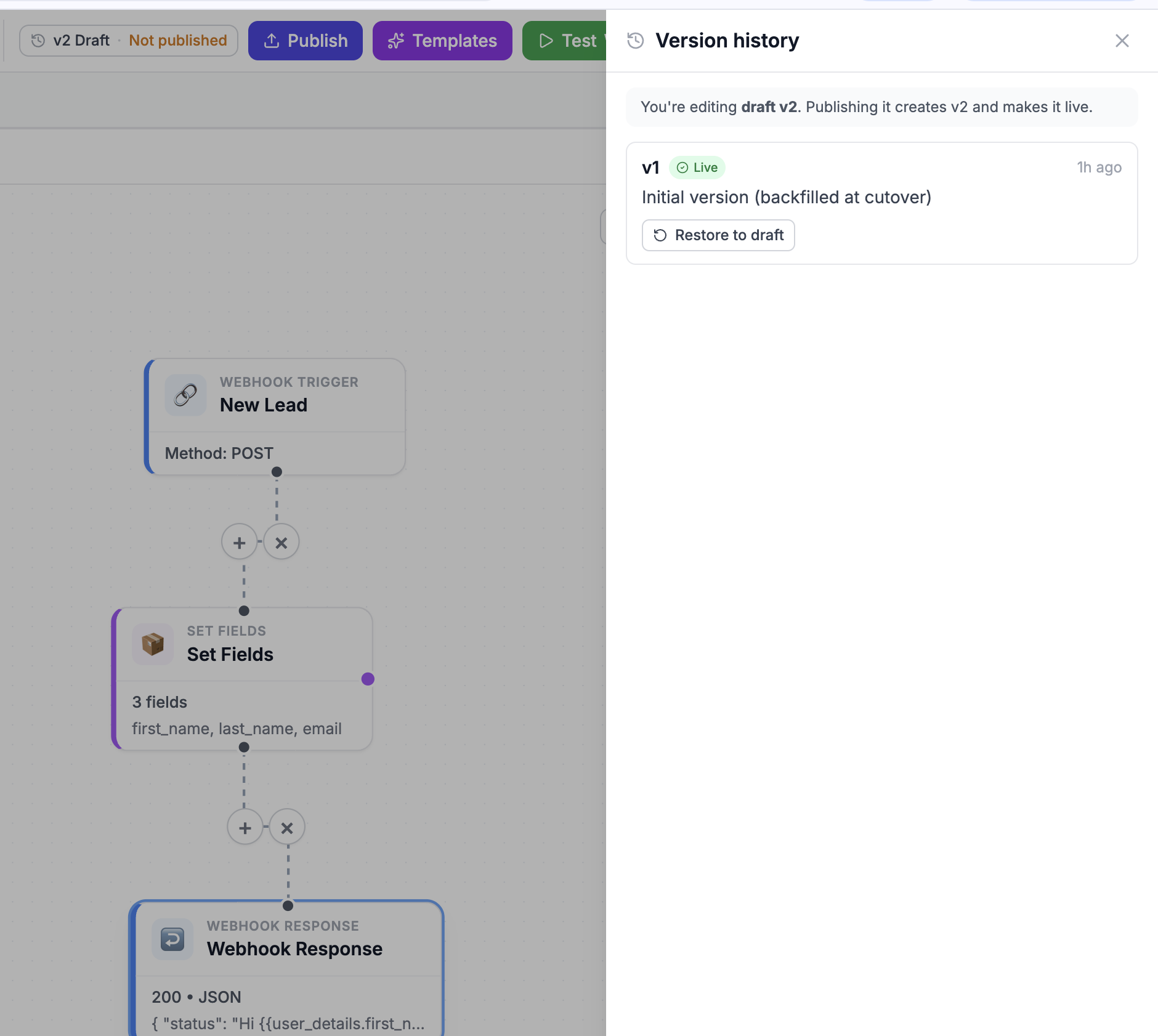
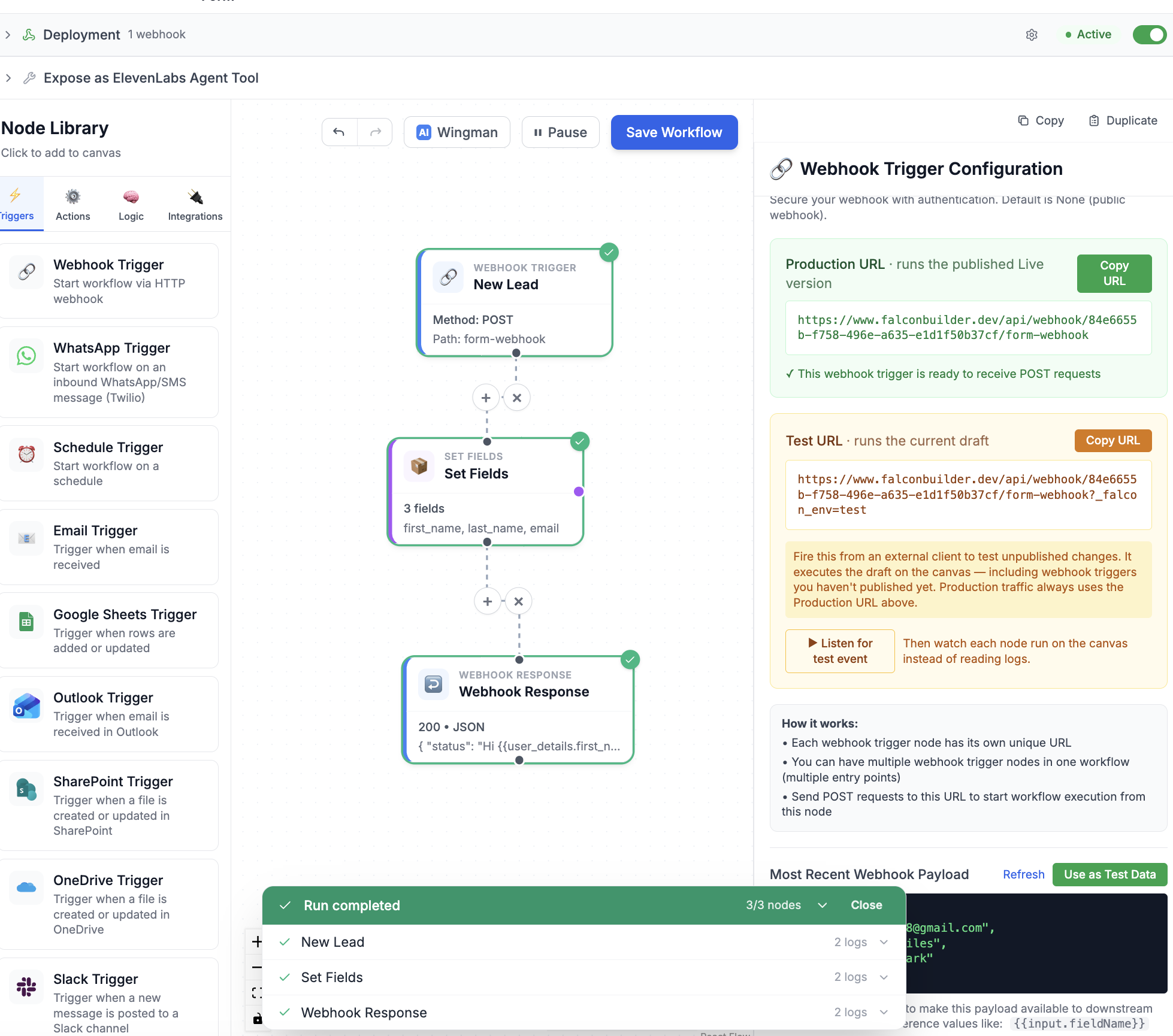
Putting agents in front of real people raises the stakes on changes. So this release adds a draft → publish versioning workflow. Edit a draft without touching the live version, then publish to snapshot it as the version your production webhooks, schedules, and triggers actually run — and restore any earlier version with one click.
Webhook triggers now expose a separate Test URL that fires your unpublished draft, so you can validate changes before they go live. And you can watch a test run light up node-by-node on the canvas instead of digging through logs.
Frontier models and polish
We added Claude Opus 4.8 to the model selectors, refreshed the Google Gemini lineup, and fixed token handling for OpenAI's o-series and GPT-5 models. On top of that, dozens of editor refinements landed: logo-forward node cards with a central brand-icon registry, a dedicated tool-output handle on agent nodes, and a Test Node button that replays your last real Slack, HubSpot, or Salesforce event so you can test against real payloads.
The throughline
Pull all of this together and a single theme emerges: agents that collaborate — with other agents, with your tools, with your documents, and with the humans and end-users they serve. Building the agent was always the fun part. Now getting it in front of real people is just as easy.
Try it
Everything in this update is live now. Sign up free, build an agent from a single prompt, and ship it as a chat assistant, a form, a website chatbot, or a WhatsApp line.